The question this article answersHow do I use Matrix Hanzi vocabulary tools?
Short answerTo study vocabulary in Matrix Hanzi, select a library and range on Home, then choose one of six learning modes. You can personalise later sessions by marking words and reviewing the mistakes the platform records.
If you read only one article on this blog, make it this one. Below is the entire way Matrix Hanzi works today — written in the exact order you'll touch the product: open the door, choose your data, practice, personalize, and expand.
1. Three things to know before you start
2. Home: build your first study session in three steps
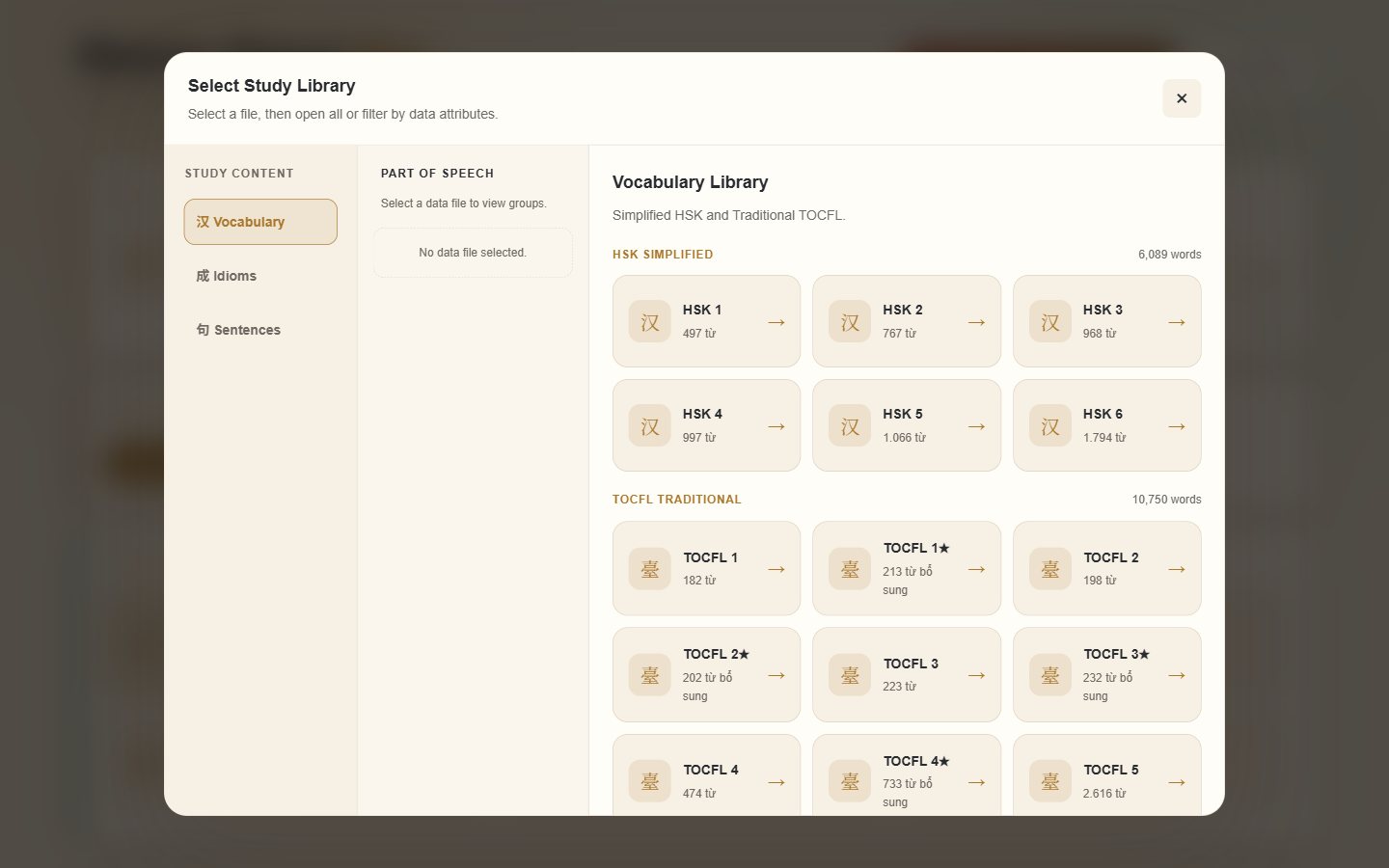
Pick a dataset (say HSK 1), then set "Start from" and "Items per session" (default 30). Below, the range indicator shows, e.g. 1–30 / 497.
Four choices: Sequential (cover from the top), Random (defeats position-based rote learning), Marked (only characters you've marked), Errors (only characters you've ever mistyped).
Six mode cards: Learn & Analyze, Flip Cards & Trace Strokes, Maximum Memory, Fast Reflex, Hanzi Typing Practice, Speaking & Scoring. Choose one, press Start Review.
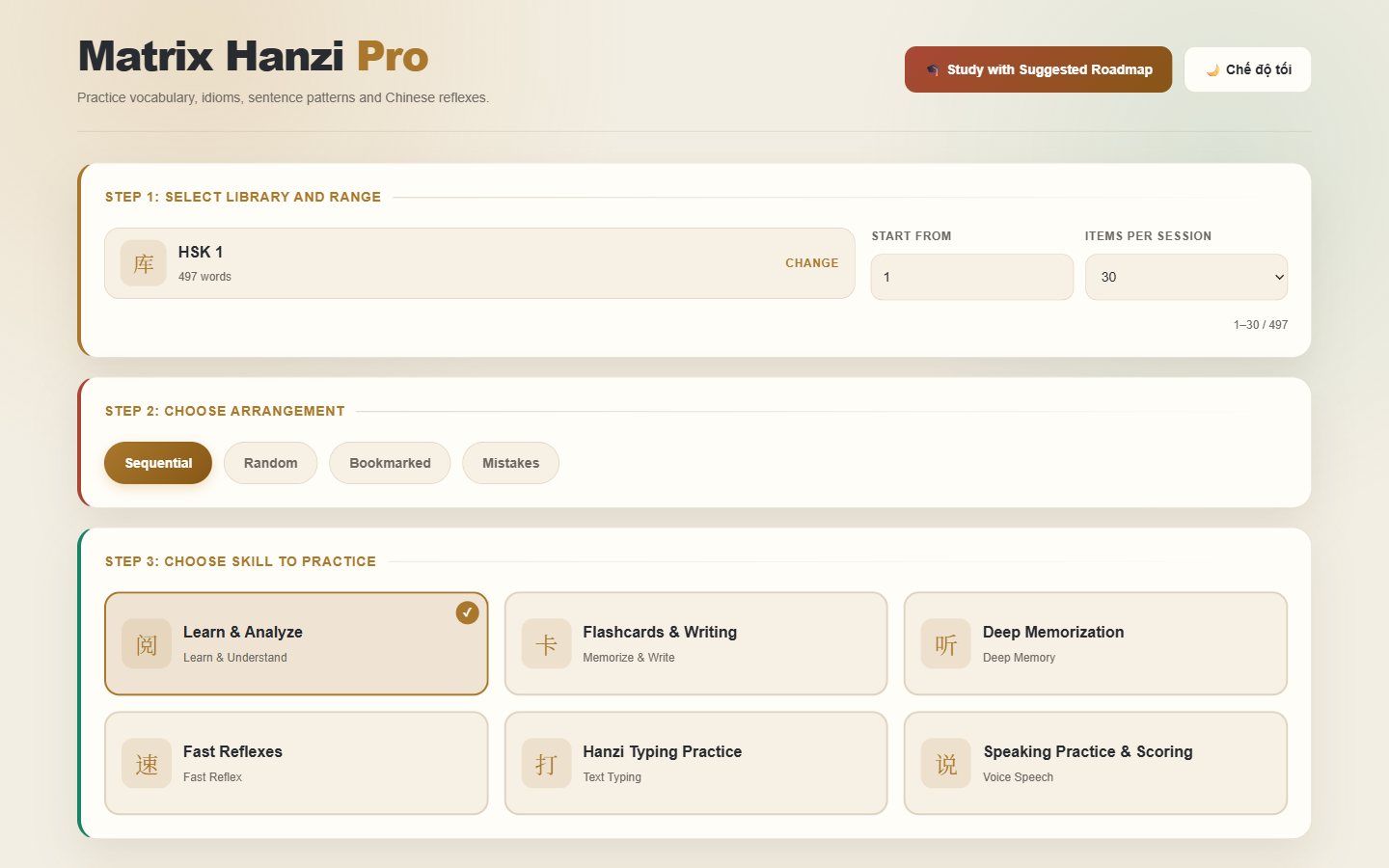
Range tip: beginners should keep 20–30 items per session. Once the review loop feels familiar, climb to 50–100. A small, consistent range beats a large, interrupted one.
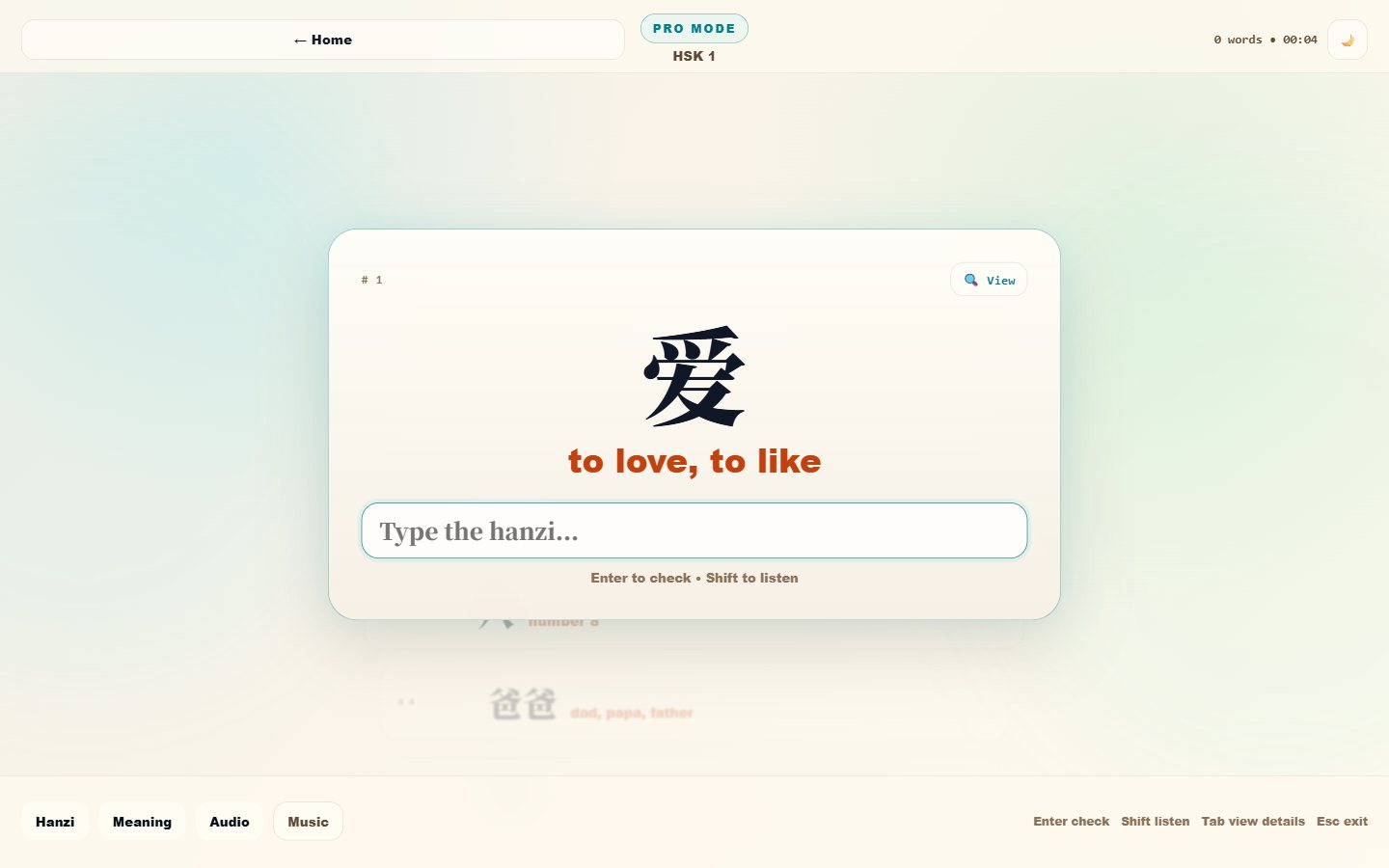
3. The six modes: pick the right workbench for the right job
4. Personalization: the four fingerprints you leave on the data
In the current version, a "personal vocabulary" is not a file you upload — it is the set of fingerprints you leave while studying, which the system turns into your next session:
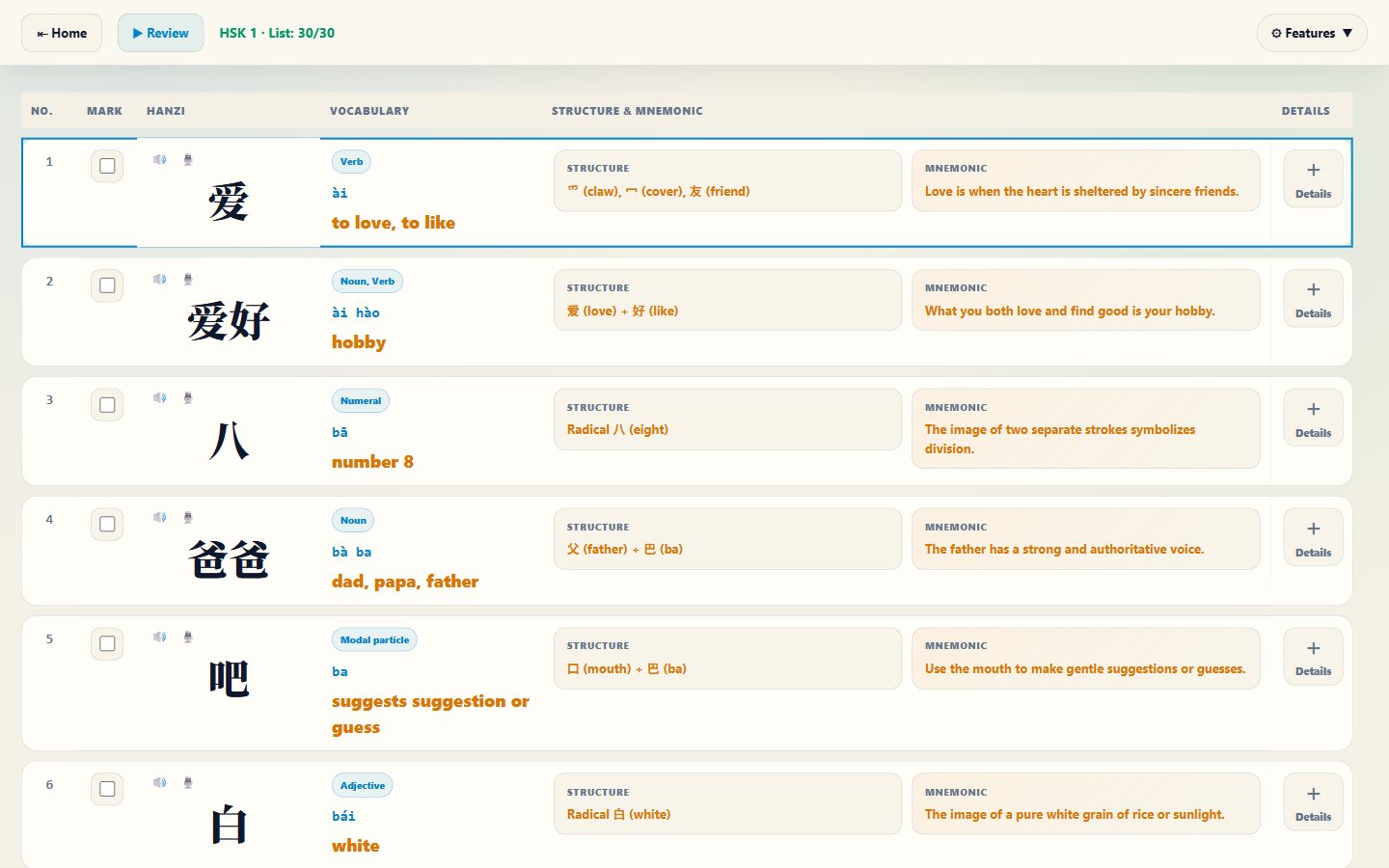
The checkbox in the analysis table and the "not yet known" state on flashcards. Any character that stalls you gets marked on the spot.
Every mistyped answer in Deep Memory and every missed choice in Fast Reflex is collected automatically, per dataset.
"Start from," "Items per session," and the four ordering styles in Step 2: you decide the shape of every session.
Answers per item, error counts, card states — stored on your machine and re-applied to exactly that dataset next time.
And here's the loop's small piece of magic: in Step 2, choose Marked or Errors as the data source. Your next session will contain only your weakest characters — not one minute burned on what you already know. A personal vocabulary, in the most useful sense of the phrase, is precisely this self-sharpening list.
5. Your own content: when the library isn't enough
Two modes accept your own material — for everything no library contains:
6. Supporting tools worth knowing
7. Quick questions, quick answers
Where is my data?
On your machine: your browser's localStorage. Clearing browser data clears your progress — think before you clean.
No profile server, no cloud sync.
Does it cost anything?
The core — six modes and the data library — is free, no login.
The detailed AI analysis tier (like in-depth pronunciation scoring) is an optional upgrade.
Does it work on a phone?
The responsive interface runs in mobile browsers; typing and analysis are most comfortable on a big screen.
Which dataset should I start with?
Know nothing yet: HSK 1. Preparing for Taiwan/TOCFL: the traditional-character group. Want characters with soul: idioms. Need sentences: sentence patterns by level.
That's the whole map. The rest is up to you: open Home, pick your first 30 items, and let the marks-and-errors loop start recording your own learning story.
Start your first session right now
Three steps on Home, fifteen minutes, and a dataset that will follow you through all six modes — starting tonight.
Sources / notes
- Matrix Hanzi product profile — Home structure, the six modes, and local storage mechanics.
- Karpicke, J. D., & Roediger, H. L. (2008). The Critical Importance of Retrieval for Learning. https://learninglab.psych.purdue.edu/downloads/2007/2007_Karpicke_Roediger_JML.pdf